Any facility.
Complete intelligence.



Submit service requests from any device with photos and location details. Get automatic confirmation and real-time status updates until the issue is resolved.
Requests route automatically to the right team with priority levels and SLA tracking. Every ticket includes full asset history and context for faster resolution.


Service requests don't exist in isolation. When a checklist flags an issue, a ticket is created. When a sensor breaches threshold, the right team is alerted. Every request links to full asset history.
Effective service request management goes beyond basic ticketing. It creates complete visibility for everyone involved, ensures nothing falls through the cracks, and turns reactive firefighting into proactive facility operations.
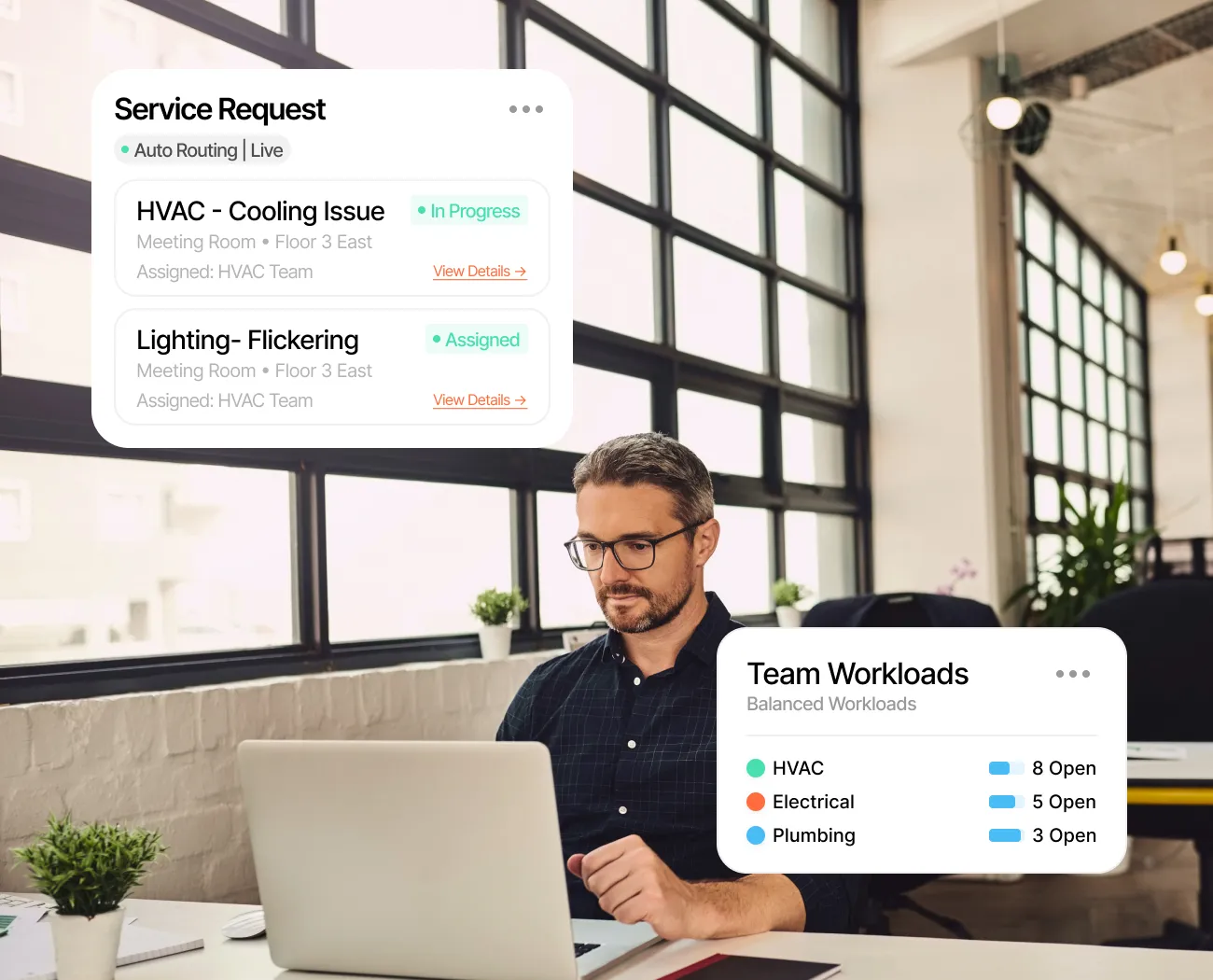
Stop chasing emails and manual assignments. Requests route automatically based on type, location, and priority, freeing your team to focus on resolution, not coordination.
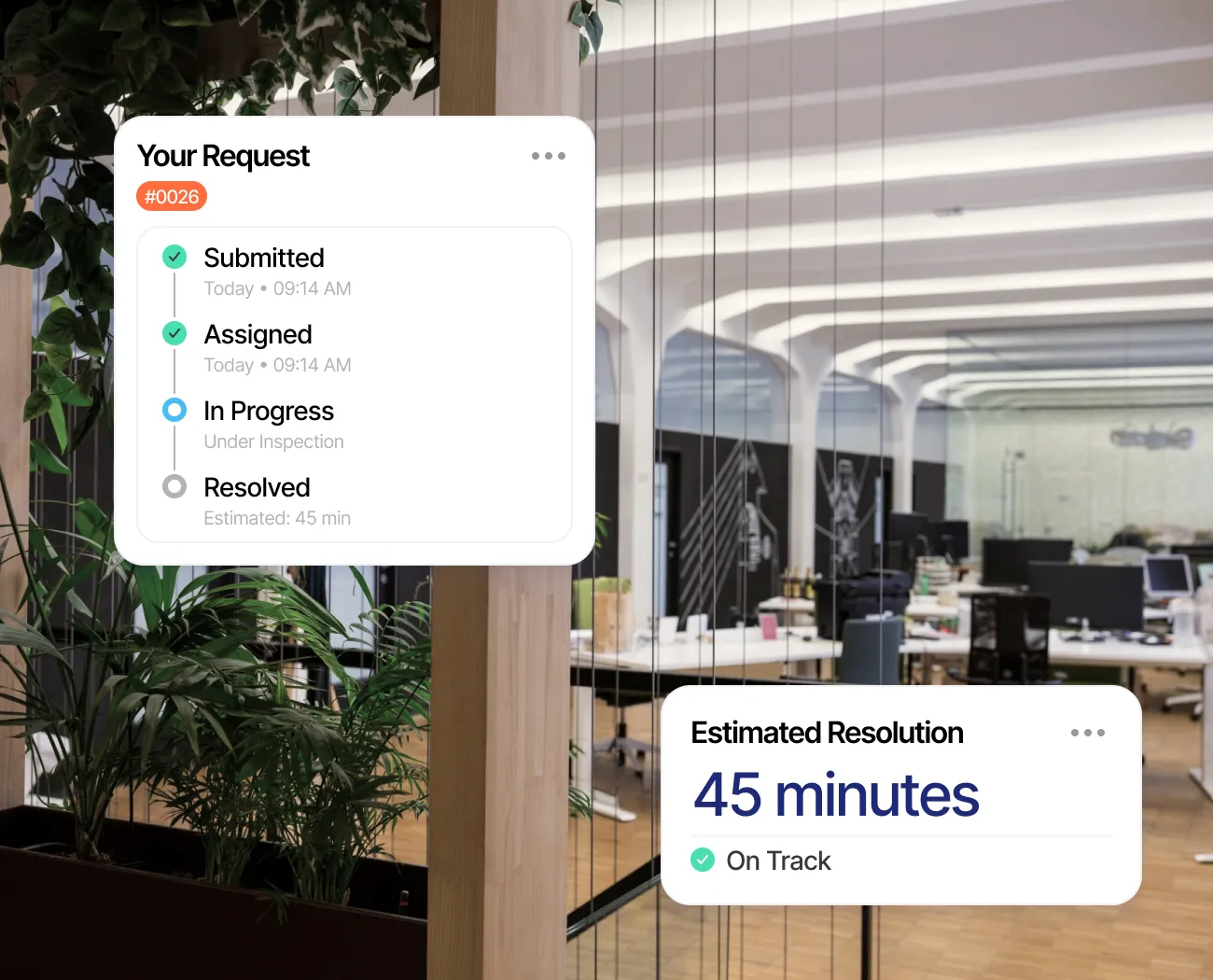
Requesters see exactly where their issue stands at all times. No more follow-up emails, no more status calls. Complete transparency from submission to completion.
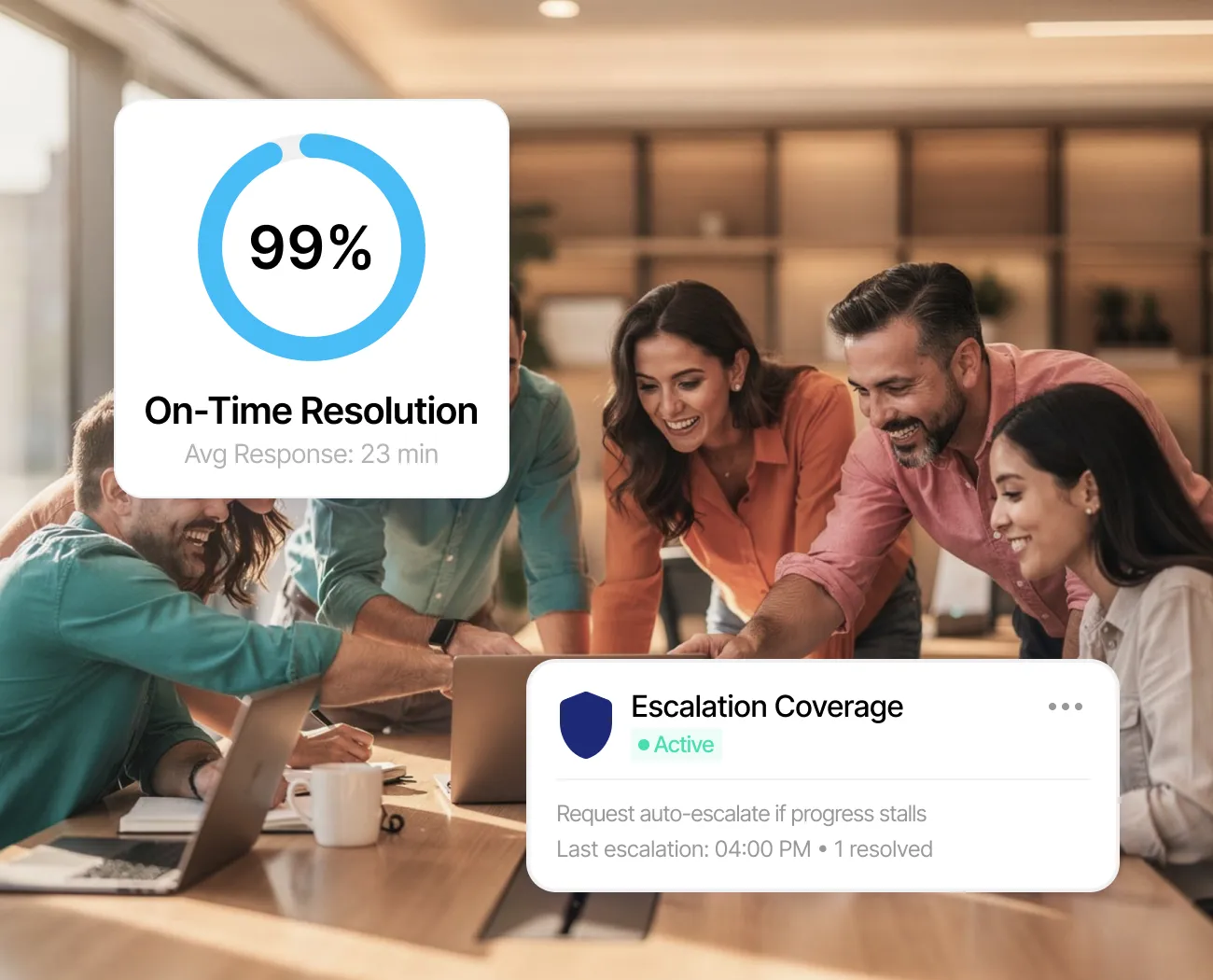
Priority levels route urgent issues to the right team instantly. Escalation triggers automatically when requests aren't progressing. Consistent service without constant oversight.
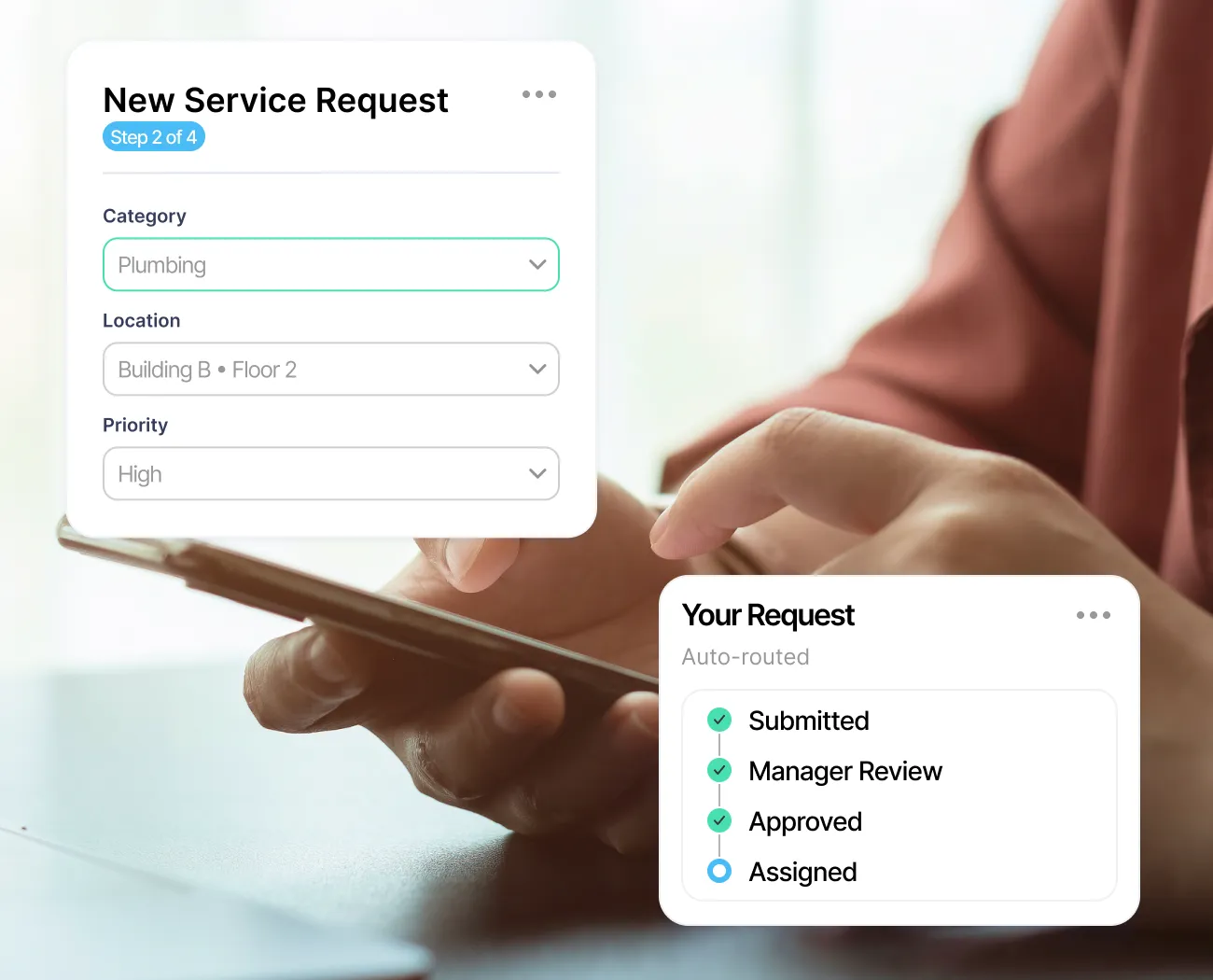
Complex requests follow structured paths. Input forms capture required details, approval workflows route through managers and admins, and shortcut templates give teams a consistent starting point for common request types.
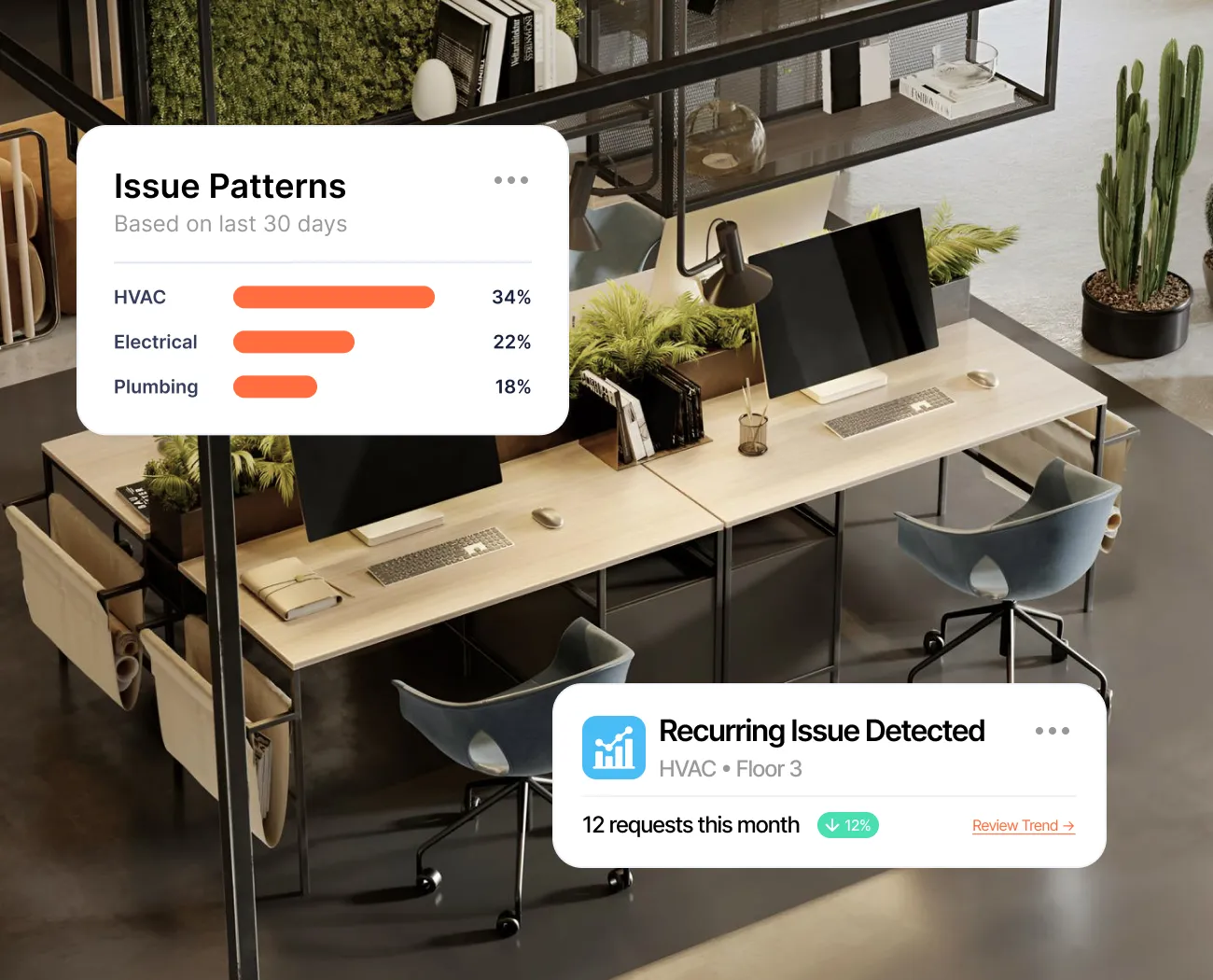
Understand patterns in your facility requests. Identify recurring issues, track team performance, and make data-driven decisions about maintenance priorities.
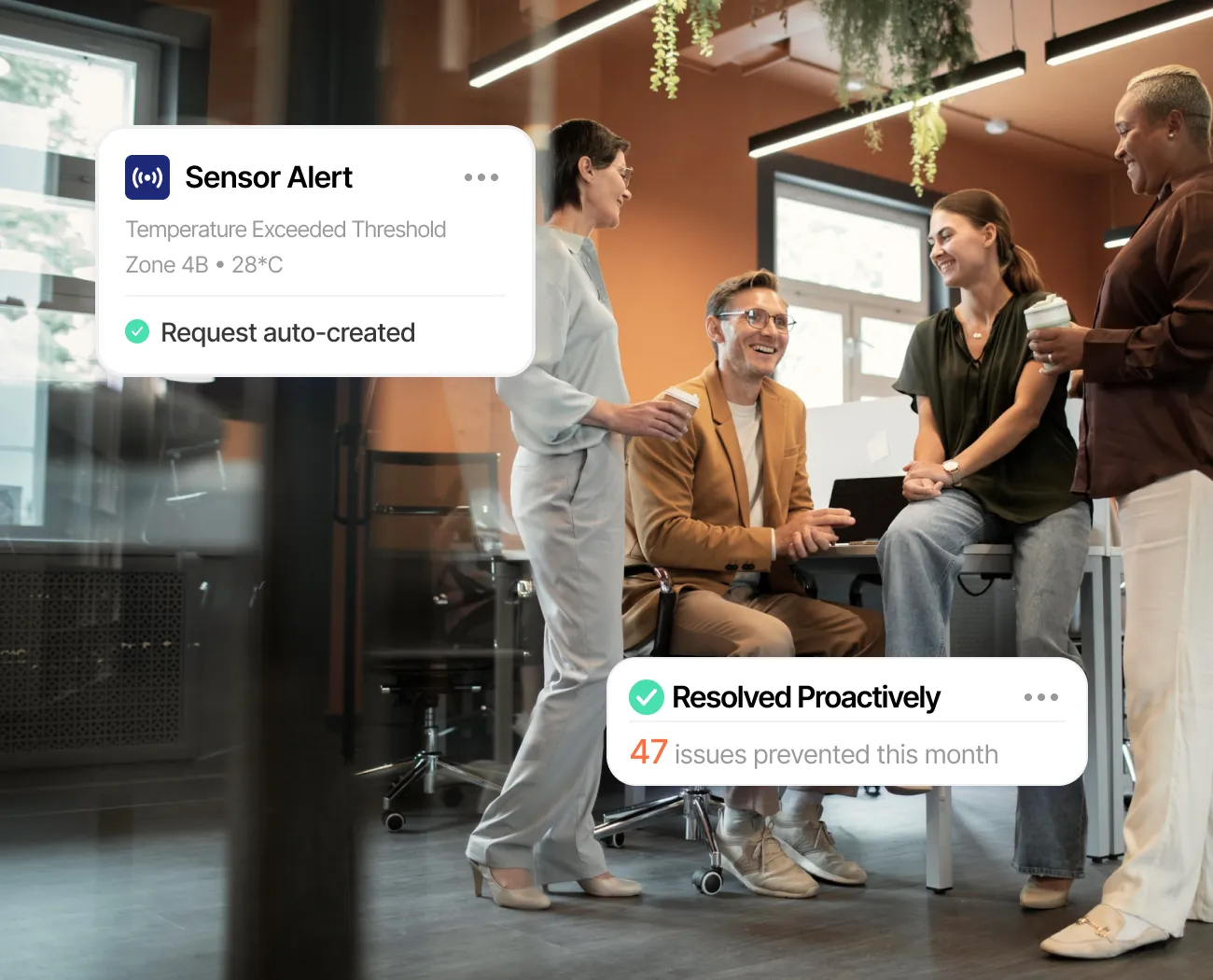
Sensor threshold breaches and checklist anomalies create service requests automatically. Your team resolves issues that haven't been reported yet, turning reactive firefighting into proactive facility operations.
From mobile submission to automated escalation, everything your team needs to manage requests effectively. Plus integrations that turn reactive tickets into proactive operations.
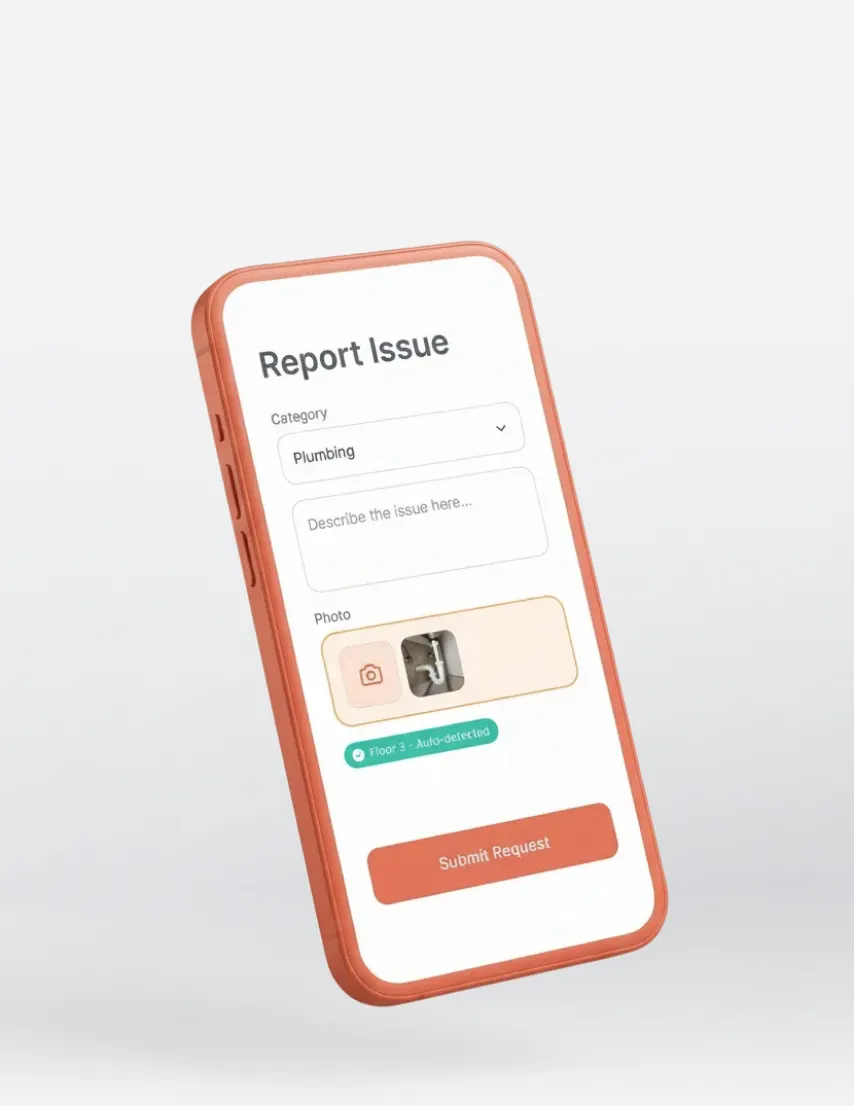
Submit service requests from any device with photos and location details.
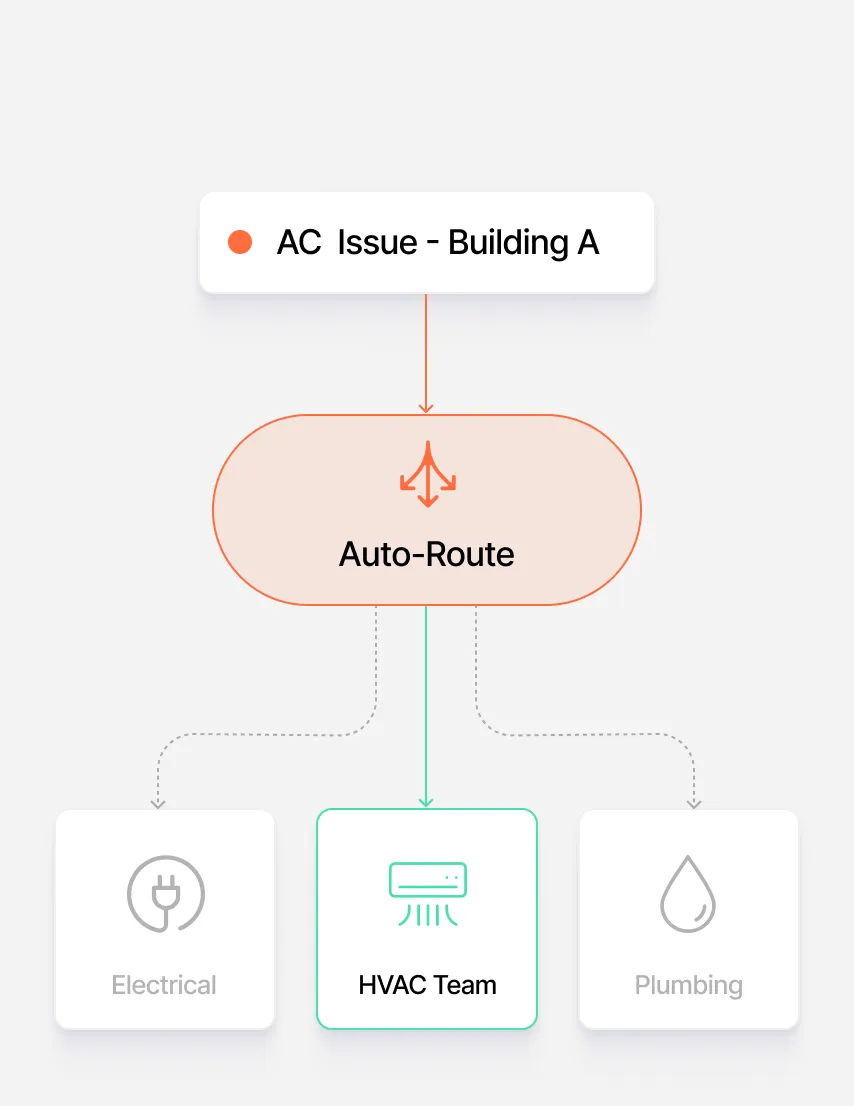
Requests route automatically to the right team based on category, location, and priority. No manual triage needed.
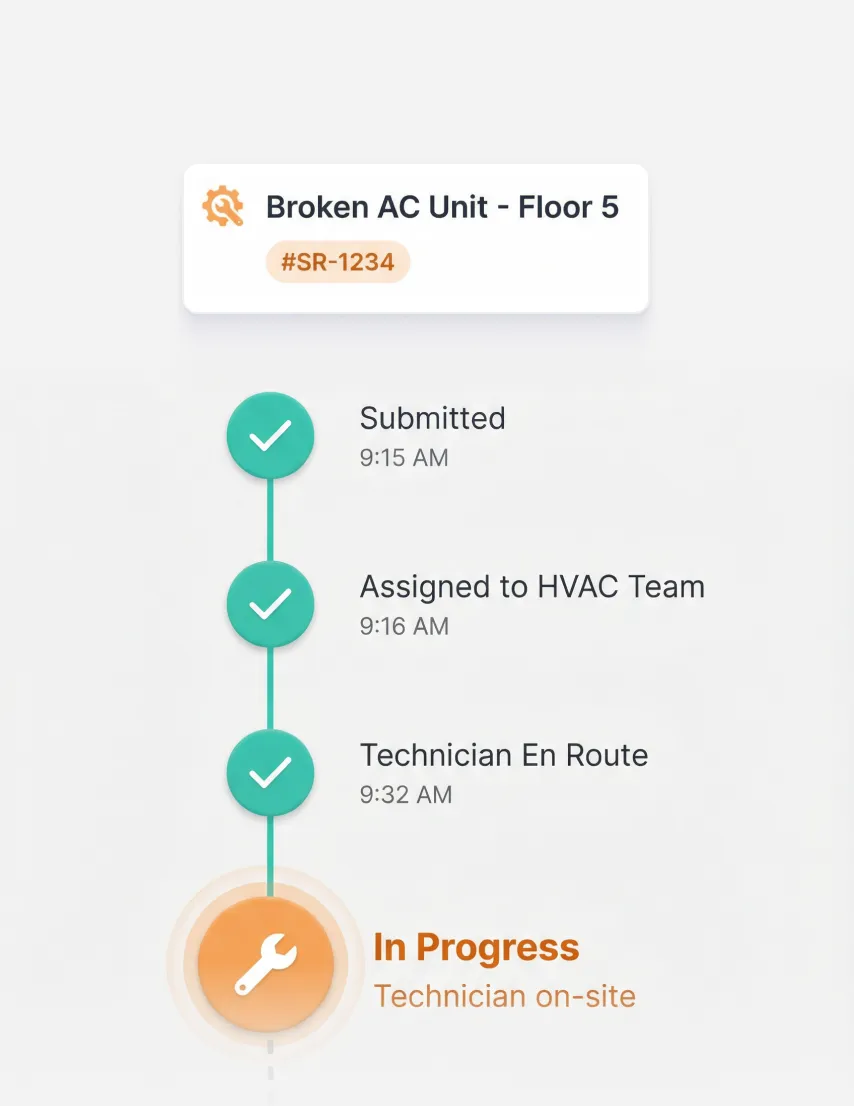
Requesters see exactly where their issue stands. Status updates flow automatically from submission to completion.
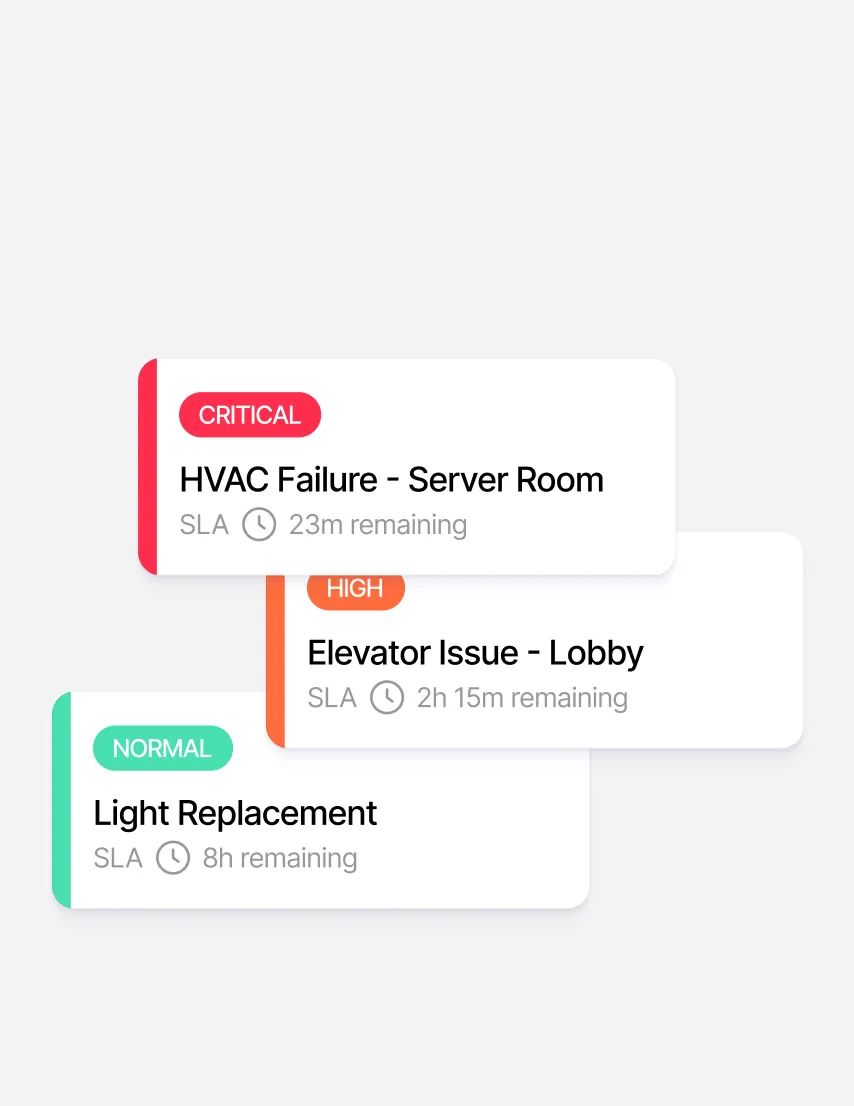
Priority levels and escalation workflows ensure critical issues get immediate attention. Nothing falls through the cracks.
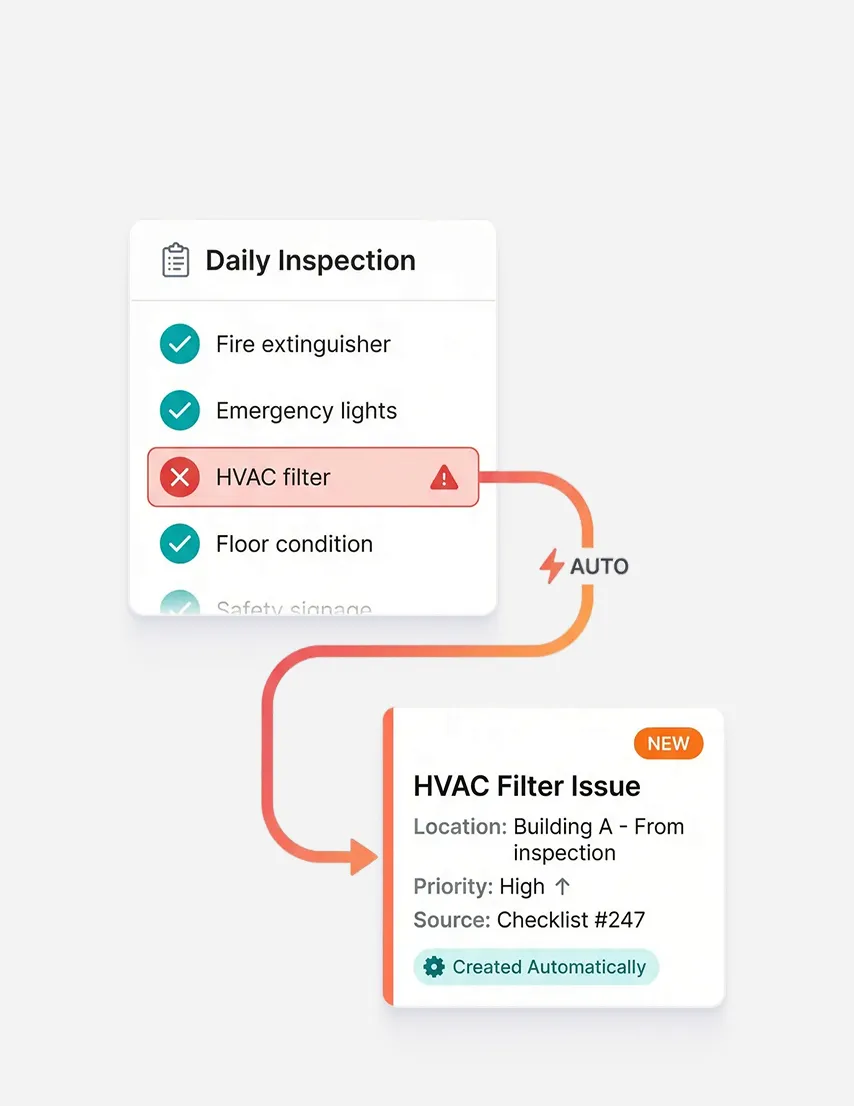
When a digital checklist flags an issue, a service request is created automatically. Inspections become instant action.
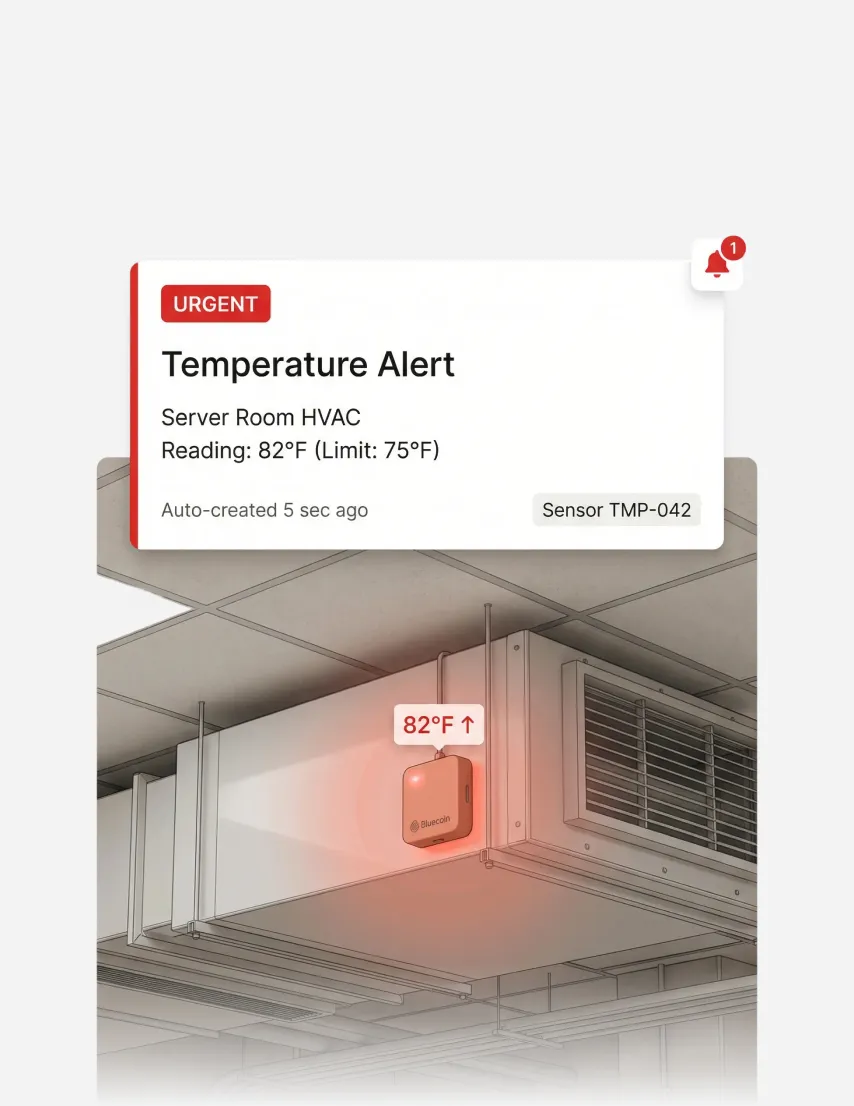
Sensor threshold breaches auto-create service requests and alert the right team. Issues caught before anyone reports them.

The best workplace tools don't just solve one problem for one team. They create value that compounds across your organization, turning a single investment into wins that every stakeholder can point to.
Eliminate manual ticket triage, status chasing, and escalation tracking. Service requests route, escalate, and report automatically while you focus on strategic improvements.

Report facility issues from any device with photos and details. Get automatic updates on progress without chasing anyone for status.

Understand where your facility operations excel and where they need attention. Track resolution trends, identify recurring issues, and allocate resources based on data, not guesswork.

Your existing systems stay in place. Apptimus connects to them, adding coordination and intelligence without replacing what works.











Service request management is the process of receiving, routing, tracking, and resolving facility-related issues reported by employees or occupants. Modern service request management software like Apptimus automates this process, routing requests to the right team, tracking SLAs, and providing real-time visibility to both requesters and facility managers.
Service request management covers facility maintenance, housekeeping, security, special services, access requests, and lost and found. Requests can be routed to the appropriate team, whether that's HR, admin, security, housekeeping, IT, or external vendors. Each category has its own workflows and routing rules. With Apptimus, requests can also be auto-created from sensor alerts and digital checklist anomalies.
Apptimus service request management connects to digital checklists, asset records, and sensor alerts. When a checklist flags an anomaly, a ticket is created automatically. When a sensor breaches threshold, the right team is alerted instantly. Every request links to full asset history, giving technicians complete context for faster resolution.
Most organizations go live with Apptimus service request management in 2-4 weeks. We recommend starting with a single building or floor, validating workflows, then scaling across your facility. Our implementation team handles configuration, integration setup, and user training.
Organizations using Apptimus typically see 99%+ on-time completion rates and 80%+ reduction in administrative overhead. Response times drop from hours to minutes, and proactive triggers from sensors and checklists catch issues before they escalate into costly problems.
IT helpdesk tools are designed for technology support tickets. Service request management software like Apptimus is built specifically for facility operations, with features like asset linking, location-based routing, sensor integration, and checklist triggers that generic ticketing systems don't offer.
Privacy is important to us, so you have the option of disabling certain types of storage that may not be necessary for the basic functioning of the website. Blocking categories may impact your experience on the website. More information